MCP Server for GenieACS written in Go
Install
npx -y genieacs-mcpACS_URLrequired — GenieACS NBI API URL (e.g. http://genieacs:7557)ACS_USERoptional — GenieACS NBI basic-auth usernameACS_PASSoptional · secret — GenieACS NBI basic-auth password





genieacs-mcp is an MCP server for GenieACS, the open-source TR-069 ACS that manages routers, ONTs and other CPE devices. Add it to Claude Desktop, Cursor or any other MCP client and ask in plain words: which devices stopped informing last night, what firmware serial 000003 runs, reboot the ones tagged pilot. The assistant reads and acts through your GenieACS NBI with 7 resources and 12 tools; one Go binary, no database of its own.
Features
- Find devices the way you would ask a colleague: by tag, model, firmware, last inform, or any TR-069 parameter (
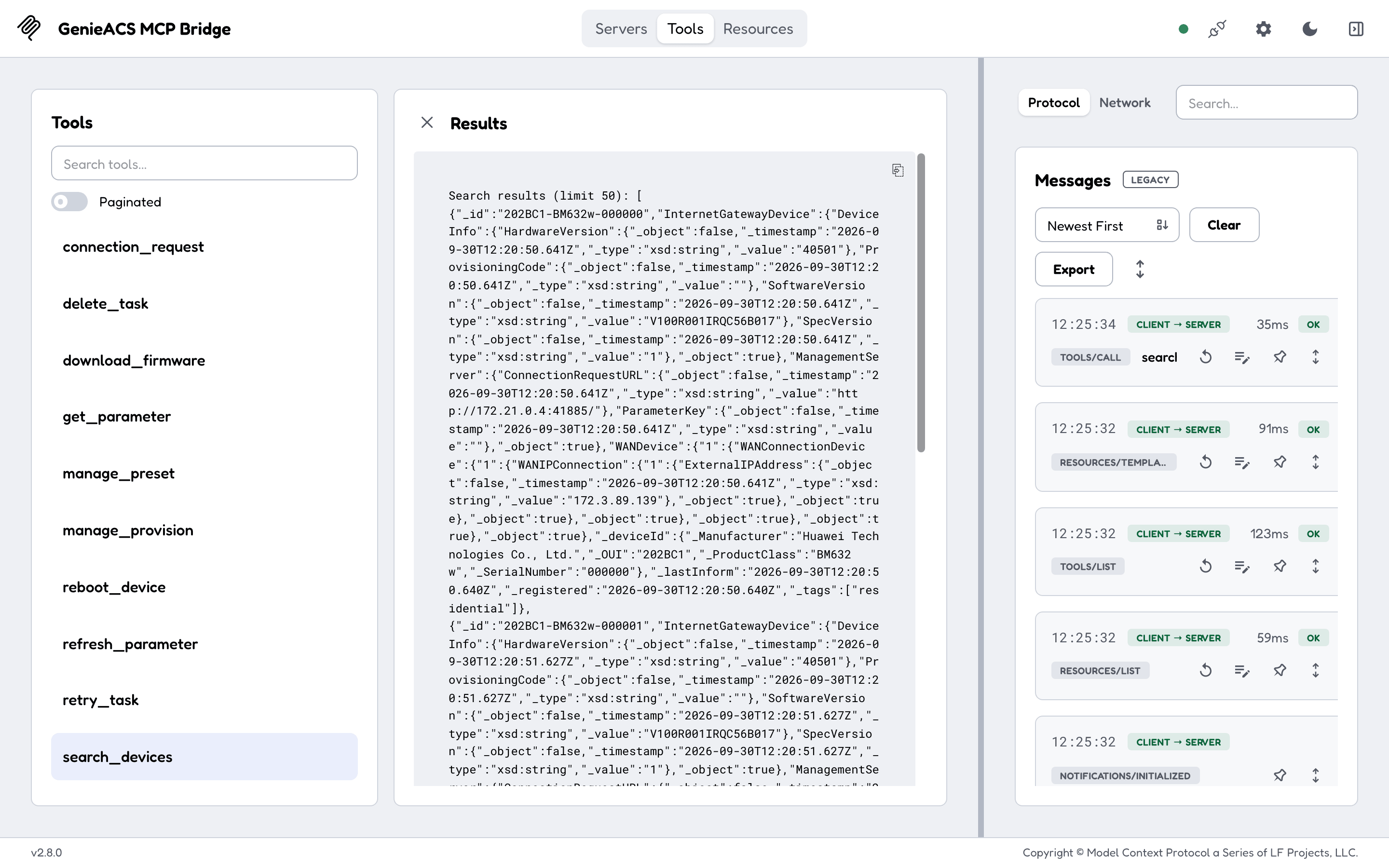
search_devicestakes a MongoDB-style filter). - Read a device's full parameter tree, its tasks and its faults, plus the presets, provisions and files on the ACS, as resources (
genieacs://device/{id},genieacs://devices/list, ...). - Reboot a device, push firmware to it, refresh or set a parameter, or wake it with a connection request, from a chat.
- Tag devices, create or delete presets and provisions, and delete or retry tasks, so the assistant can fix what it finds.
- Every tool description says what it does, its limits and an example, so clients pick the right one without a prompt from you.
- Read versus act:
search_devices,get_parameterand the seven resources only read; the other ten tools queue a task on a device or change the ACS. - No read-only mode: point it at an ACS you are willing to let an assistant act on, and keep your client's tool-approval prompts on.
- Safe on a laptop: the HTTP transport listens on loopback only unless you set an address and a bearer token, and checks
HostandOriginagainst DNS rebinding. - One static Go binary for Linux, macOS and Windows on amd64 and arm64, also as an npm package (
npx genieacs-mcp) and a Docker image.
Quick start
You need a GenieACS whose NBI (port 7557) this machine can reach; without one, the family's demo stack gives you an ACS with a simulated router in about a minute:
curl -fsSLO https://raw.githubusercontent.com/GeiserX/genieacs-container/main/docker-compose.yml
docker compose --profile testing up -d      # GenieACS + MongoDB + one simulated CPE, NBI on localhost:7557
Then add the server to a client that reads an mcpServers block (Claude Desktop, Cursor, Claude Code; in VS Code the .vscode/mcp.json key is servers):
{
  "mcpServers": {
    "genieacs": {
      "command": "npx",
      "args": ["-y", "genieacs-mcp"],
      "env": { "ACS_URL": "http://localhost:7557" }
    }
  }
}
It worked when you ask "which devices does the ACS know about?" and the assistant answers with device ids such as 202BC1-BM632w-000000 (the demo stack) or your own. Docker, the HTTP transport and a local build are in Getting started.
Documentation
The full documentation is at geiserx.github.io/genieacs-mcp.
- Getting started: npm, Docker Compose, local build, and what the first exchange looks like
- Configuration: every environment variable, the HTTP transport's security model, client config for stdio and HTTP
- Usage: the 7 resources and 12 tools with their arguments, which ones act on devices, example prompts
- Development: tests, trying the server with MCP Inspector, contributing
- Related projects: the GenieACS family, other MCP servers, where this server is listed
Related projects
Listed in the official MCP Registry as io.github.GeiserX/genieacs-mcp. Part of the GenieACS family: genieacs-container (the ACS itself, Docker and Helm, with this server as a compose profile), genieacs-sim-container, genieacs-ansible, genieacs-ha, genieacs-services, and n8n-nodes-genieacs (archived).